

Scrimpr Cheap Direct Debit
Support my efforts making Scrimpr tools and guides with a monthly subscription contribution via direct debit.
Many from r/beermoneyuk find these direct debits help satisfy bank switch criteria.
Check out these sign up offers from Scrimpr partners



Set Up a Direct Debit
£1 Direct Debit
Standard option
If you find Scrimpr helpful and want to support my work, you can set up a £1 monthly direct debit. It only takes a few clicks, set up within 3 working days, and the first payment processes in around 5 business days.
Choose your amount
Support with more
If you want to support Scrimpr with a larger contribution, then you can setup a monthly direct debit and choose the amount! This really helps me keep the Scrimpr website running.
Each direct debit option above sets up a single monthly contribution to support Scrimpr's work. There are currently two different amounts so you can choose the level of support that works for you, and easily track your contributions. If you want to increase your support, you can set up multiple direct debits at any amount (for example, two £1 contributions for £2 total monthly support). You can also set up a 50p direct debit here, but it does not come with subscription management or support.
Alternative Direct Debits
Need more direct debits for bank switching? Here are some useful alternatives:

Park Christmas Savings
Save for Christmas throughout the year with weekly or monthly direct debits. Your money converts to vouchers for major retailers.
£10 sign up bonus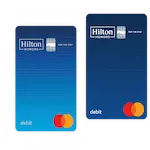
Hilton Honors Debit Card
A debit card that earns Hilton hotel points on spending. Top up via direct debit to use for everyday purchases.
Earn points on all spending
Moneybox
Investing and savings app with regular direct debit deposits. Great for building long-term wealth with small amounts.
From £1/weekBills & Utilities
- Gas & electricity bills
- Council tax
- Water bills
- Broadband/phone bills (check provider - some use card payments)
- Mobile phone bills (mainly big providers like EE, O2, Vodafone - smaller providers often use card payments)
- TV licence
- Pay TV (Sky, Virgin, etc.)
Financial Products
- Credit cards (all major providers - need monthly spending to keep active)
- eBay seller account
- Savings accounts (Plum, Moneybox, Post Office Online Saver)
- Investment platforms (InvestEngine, Vanguard, Wealthify, AJ Bell, Nutmeg, etc.)
- Travel debit cards (Currensea, Hilton Honors Debit Card)
- Christmas savings (Park Christmas Savings)
- Mortgage overpayments (Sprive)
- PayPal transfers
- Some BNPL services (Klarna - if set up correctly)
Insurance & Protection
- Car insurance (if monthly payments available)
- Home insurance (if monthly payments available)
- Life insurance
- Travel insurance (annual policies paid monthly)
- Vehicle tax (has 5% monthly surcharge)
Subscriptions & Memberships
- Gym memberships (check payment method)
- Magazines (Radio Times, etc. - check payment method)
- Heritage/cultural memberships (English Heritage, National Trust)
- Food/drink subscriptions (check payment method - many use card payments)
Charitable Giving
- Regular donations to charities (can set up multiple small amounts to different charities)
Lotteries & Games
- National Lottery
- Health Lottery
- Postcode Lottery
Frequently Asked Questions
What is the Scrimpr Direct Debit service?
Our Direct Debit service is designed to help you easily support Scrimpr's ongoing development. By setting up a regular direct debit, you support new content and tools!
How does it work?
We use Stripe to process your payments securely. Once you sign up, we will set up a small regular direct debit - 50p, £1, or a value of your choosing from your bank account. This is a monthly subscription.
How much does it cost?
Either 50p, £1, or the amount you choose. Payment is taken monthly, and you can cancel at any time.
Can I set up more than one?
Yes! Each direct debit sets up a single monthly contribution. If you want to increase your support, you can set up multiple direct debits at any amount (for example, two £1 contributions for £2 total monthly support).
How do I set up a direct debit?
Setting up a direct debit is easy and done in a few simple clicks. Just choose the direct debit you want to set up and you will be taken to the Stripe platform to provide your bank details.
How long does setup take?
The direct debit is set up within 3 working days of signing up. Your first payment will then be processed in around 5 business days after that.
How quickly will it show on my statement?
Once the direct debit is active, it will appear on your bank statement as "Scrimpr" or "Stripe" depending on your bank. This typically shows within a few days of the payment being taken.
Can I choose the frequency?
Not at the moment. Payments are taken monthly. We might add options such as weekly or bi-weekly in the future.
Is my payment information secure?
Yes, your payment information is processed securely through Stripe, a leading payment processing platform. Stripe complies with the highest standards of security and encryption.
Is there a contract or long-term commitment?
No, there is no long-term commitment. You can use our service for as long or as short a period as you need. You are free to cancel at any time.
How do I know if it's set up correctly?
Once the direct debit is set up, you will receive a confirmation email. You can also check the status of your direct debits with your bank.
How do I cancel my direct debit?
You can cancel via our Stripe Subscription Portal, use our cancellation form, or cancel directly through your bank.
Need help?
Just send an email to hello@scrimpr.co.uk
Bank Switching FAQs
Common questions about using Scrimpr direct debits for bank switching. See our complete guide to bank switch offers for all current deals.
Does a Scrimpr direct debit count for bank switching?
Yes! Scrimpr direct debits are real direct debits processed through Stripe, and they count towards bank switch requirements. If you set up two Scrimpr direct debits, they count as two separate direct debits. Many r/beermoneyuk users use them specifically for this purpose.
How many direct debits do I need to switch?
Most banks require 2 active direct debits, but some require 3 or none at all. Check the specific requirements on our bank switch offers page.
What do I need to switch banks?
Usually just three things: sort code and account number, debit card information, and 2 active direct debits on the account you're switching.
How long does a bank switch take?
Using the Current Account Switch Service (CASS), switches complete in 7 working days. Your direct debits transfer automatically to your new account.
Do I need money in my account to switch?
No. But it can help you see when the switch happens, and any money transferred counts towards deposit requirements some banks have.
Can I do multiple bank switches?
Yes! Many people complete several switches to collect bonuses. Check our bank switch offers page for current opportunities.
Will my application be rejected?
Possibly. Banks keep their acceptance criteria secret. You might be unlucky with one bank but accepted by another.
Can I switch without a debit card?
Most online forms require card details, and some banks cancel applications without them. You can usually switch such accounts over the phone instead.
50p Direct Debit
50p Direct Debit
Cheaper option
If you find Scrimpr helpful and want to support my work with a smaller amount. Note: This option does not include subscription management.
