
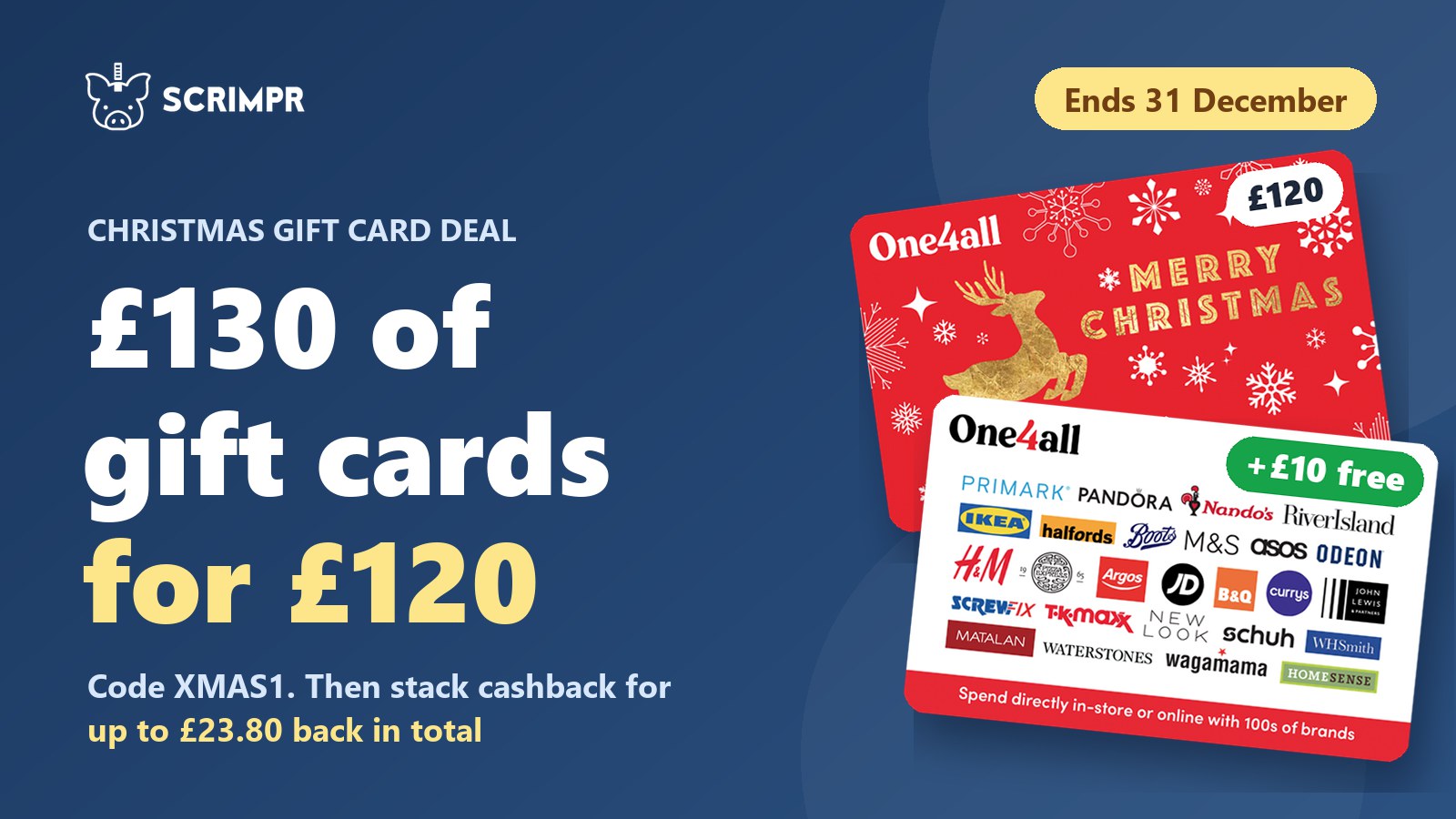
Giftcards.com is offering a free £10 One4all gift card when you buy a £120 One4all gift card using code XMAS1. You pay £120 but receive £130 to spend. The offer ends at 23:59 on 31 December 2026.
That’s already a decent saving, but you can make it go further. Digital One4all cards work like prepaid Mastercard cards at almost 200 participating shops and restaurants. You can also add them to Apple Pay or Google Pay and potentially earn additional cashback when spending them.
By combining the gift-card offer with other cashback deals, you could get around £23.80 in total rewards on your £120 purchase, plus any rewards earned when you eventually spend the cards. If you’re new to TopCashback, there’s potentially another £10 available, bringing the total to £33.80. Here’s how to get the deal and make the most of it.
Update, 17 November 2026: you can get the bonus twice
One4all’s own website, one4all.com, is running the same offer: a free £10 One4all gift card when you buy a £120 one. TopCashback pays 5% cashback on One4all’s website too, so you can buy from both sites and get the free £10 card from each.
Go to One4all on TopCashback*, click through to one4all.com and buy a £120 One4all gift card there as well as the one from Gift Card Store UK below. Across both orders you pay £240, get £260 of One4all cards and earn £12 from TopCashback. That £12 also takes you past the £10 you need for the TopCashback joining bonus.
Step 1: Get £130 of One4all gift cards for £120
- £120You pay
- +
- £10Free bonus card
- =
- £130To spend
You’ll receive two separate gift cards worth £120 and £10, but only pay £120. I’ve tested the full process myself, including buying the One4all cards, using them at Boots to buy a Lifestyle gift card and earning additional cashback. Here’s how to do it.
- Start at TopCashback
Go to Gift Card Store UK on TopCashback*, sign in and click through to Giftcards.com. TopCashback is offering 5% cashback, which works out at £6 on your £120 purchase. In my experience, it takes about a day for the cashback to appear as pending in your TopCashback account, although you’ll have to wait longer before you can withdraw it.
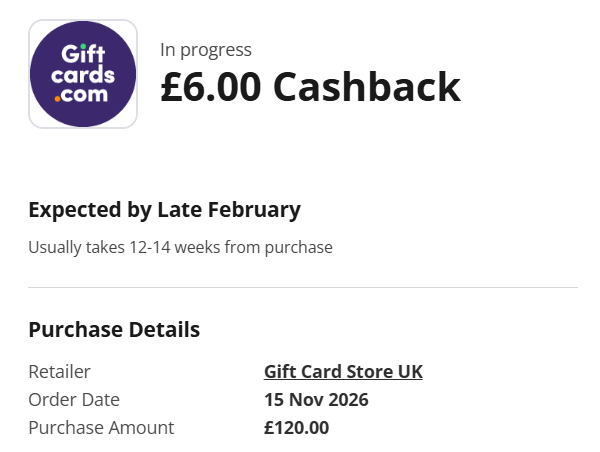
My TopCashback account after the order: £6 cashback in progress on £120. TopCashback expects to pay it by late February. New to TopCashback? You can join using the same link* and get an additional £10 joining bonus once you’ve earned £10 in eligible cashback. The £120 One4all purchase earns £6 towards that target, leaving another £4 to earn. For example, another £80 of eligible gift-card spending at 5% cashback would get you there.
- Choose a £120 One4all gift card
On Giftcards.com, choose a £120 One4all Digital Gift Card. The promotion includes the Reindeer and Xmas Wishes designs, as well as the One4all Exchange Xmas card. Digital One4all cards go up to £120, so select that amount to qualify for the free £10 card.
- Apply the code XMAS1
At checkout, look for the promotion labelled XMAS1 in your order summary and click Apply. XMAS1 can appear in your order summary before it has actually been applied, so you still need to click the button. Your basket should then contain the £120 One4all gift card you’re buying and the free £10 One4all gift card. You’ll receive both as separate gift cards, giving you £130 to spend for £120.
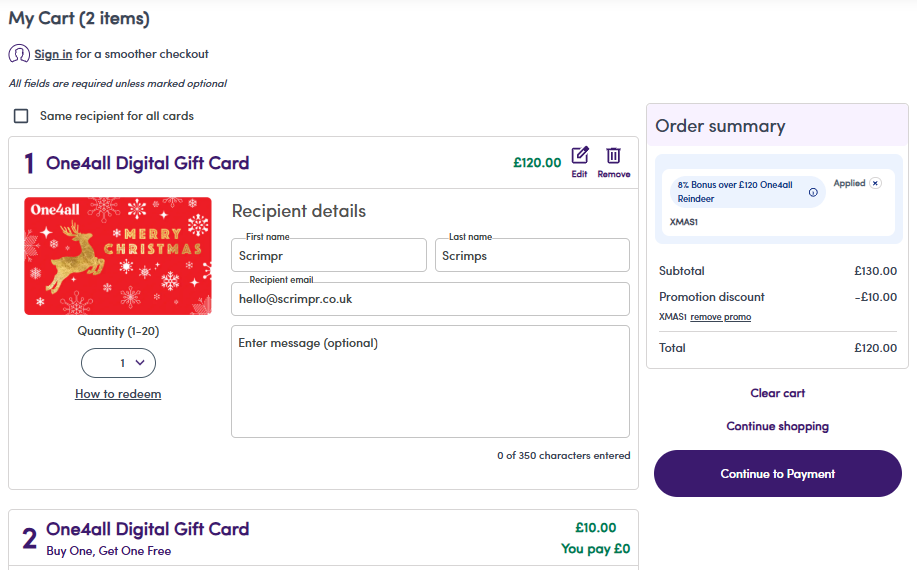
My checkout after applying XMAS1. The free £10 One4all card has been added at £0, with £120 left to pay. The codes XMAS2 and XMAS3 also give the same bonus.
- Check the total and choose how to pay
Before paying, check that both gift cards appear in your order and the total is £120. You can potentially earn another reward by choosing how you pay: if your Amex card is linked to PayPal, choose PayPal at checkout and pay with your Amex to earn the usual card points, where eligible. Alternatively, use an eligible cashback debit card, such as the PayPal debit card or Uphold card, to earn its usual rewards. I paid using PayPal.
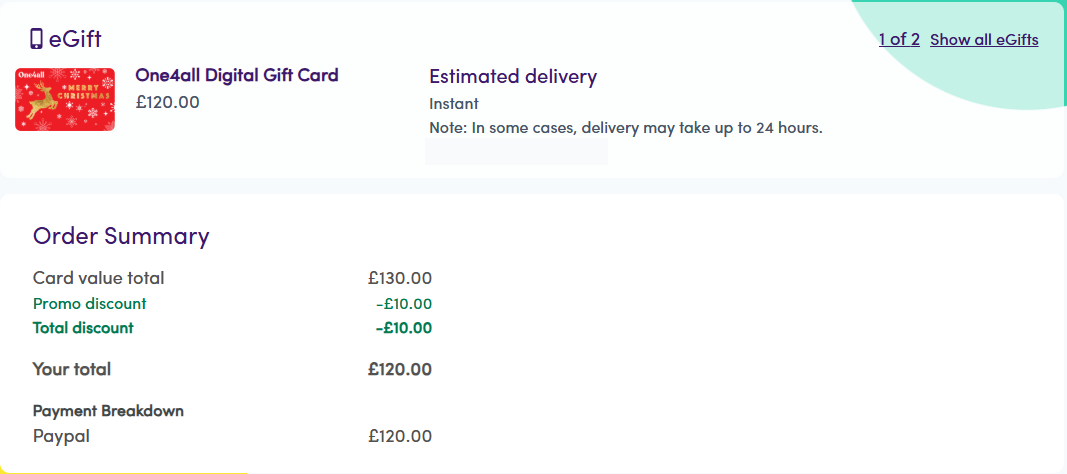
My order confirmation: £130 in One4all gift cards, a £10 promotional discount and £120 paid through PayPal. - Look out for the separate £10 bonus email
After your order goes through, Giftcards.com sends the free £10 One4all gift card in a separate email to the address you used for the order. Keep both emails, as you’ll need the card details for the next step.
Step 2: Add your One4all cards to Airtime Rewards and your phone
Now you’ve got £130 in One4all gift cards, the next step is to earn cashback when spending them. Airtime Rewards offers 4% cashback at Boots, which is where we’ll use the cards next.
- Add the cards to Airtime Rewards
Open Airtime Rewards and add your One4all card details, just as you would add a normal bank card. If you have One4all+, you can merge the £120 card, the £10 bonus card and any other One4all cards into a single card. That makes things easier, as you only need to register one card with Airtime Rewards and use one card at the till.
- Add the cards to your phone
Add them to the One4all app and then to Apple Pay or Google Pay so you can pay in-store. Digital One4all cards use the Mastercard payment network, so you can pay at participating shops by tapping your phone, much like using a normal contactless bank card.
Airtime Rewards cashback timing: in my experience, cashback normally takes about a week to appear as pending. It can appear faster if you’re an Airtime Up member, which you can become by linking a bank account to Airtime Rewards. You don’t need to wait for the cashback to appear before moving on to the next step.
Step 3: Buy a £130 Lifestyle gift card at Boots
- £5.20Airtime Rewards, 4%
- +
- £2.60Complete Savings, 2%
- =
- £7.80Cashback at Boots
Now visit Boots and use your One4all cards to buy a £130 Lifestyle gift card, paying with your One4all card through Apple Pay or Google Pay at the till. I’ve tested this myself, and the payment worked. It doesn’t have to be a Lifestyle card. You can buy any of the other gift cards Boots sells, such as Everywish, and earn the same cashback, because you’re still paying at Boots.
- £5.20 from Airtime Rewards. That’s 4% of the £130 you spend at Boots.
- £2.60 from Complete Savings. Complete Savings offers 2% in-store cashback at Boots, so keep your receipt and upload it to your Complete Savings account.
Complete Savings costs £18 a month, but its Monthly Bonus can cover that fee. The Airtime Rewards cashback took about a week to appear as pending in my account, and pending cashback isn’t available to spend until Airtime Rewards and Complete Savings approve their respective transactions.
Step 4: Exchange your Lifestyle card for somewhere you’ll actually shop
You now have a £130 Lifestyle gift card. The clever part is that you don’t have to spend it at Boots. Lifestyle gift cards can be exchanged for gift cards from participating retailers, so you can choose somewhere you would have spent money anyway. For example, you could exchange it for an Argos gift card and use that for something you were already planning to buy.
And there’s another chance to earn cashback. If the retailer has an eligible cashback offer when you make your purchase, you may be able to earn cashback on that spending too. Check the current rates using the Scrimpr cashback comparison tool. The exact retailers available for Lifestyle redemption can change, so check the options before buying or exchanging a card.
You don’t have to use Boots. The Boots and Lifestyle route is useful if you want to maximise the cashback, but it’s entirely optional. You can simply spend your One4all cards directly at participating shops and restaurants instead. See my guide to where you can spend One4all gift cards for the full list.
How much can you get back?
Here’s the full breakdown on a £120 order, using the cashback rates available on 15 November 2026.
| What you get | Value |
|---|---|
| Free One4all gift card using XMAS1 | £10 |
| TopCashback, 5% of £120 | £6 |
| Airtime Rewards at Boots, 4% of £130 | £5.20 |
| Complete Savings at Boots, 2% of £130 | £2.60 |
| Total extra value | £23.80 |
| Extra TopCashback joining bonus, if eligible | +£10 |
| Total including joining bonus | £33.80 |
That means the £120 purchase can generate £23.80 in additional value, including the free £10 gift card. That’s roughly 20% of what you paid. You could also earn Amex points or cashback from the card used to pay, plus any eligible cashback when you spend the Lifestyle gift card.
If you’re new to TopCashback and qualify for the £10 joining bonus, the total rises to £33.80, or approximately 28%. The joining bonus isn’t triggered by this purchase alone, as you’ll need to earn another £4 in eligible cashback first.
These figures combine the gift-card bonus with cashback earned at different stages. They aren’t all instant cash discounts, and cashback rates, eligibility and approval can change.
Things to check before you buy
- One bonus per person. Each customer can use the promotional offer once.
- One bonus per order. Only one qualifying One4all card receives the £10 bonus. Splitting £120 across smaller cards won’t qualify.
- Choose a qualifying card. The offer applies to the specified One4all Digital and Exchange Xmas cards, not every One4all design.
- Apply the code. Seeing XMAS1 in the order summary isn’t enough. Click Apply and check that the free £10 card appears.
- Check for fees. The terms say transaction or activation fees may apply, so confirm the final amount before paying.
- No combining promotional codes. The gift-card offer can’t be used with other Giftcards.com promotional codes or discounts.
- Check gift-card terms. One4all cards have their own conditions, including validity and acceptance rules.
- Personal use only. The offer isn’t intended for resale.
- Cashback takes time. TopCashback normally takes around a day to show as pending in my experience, while Airtime Rewards takes about a week, or potentially less for Airtime Up members. Approval and payment take longer.
- The offer can end early. Giftcards.com reserves the right to change or withdraw the promotion.
The XMAS1 promotion is scheduled to end at 23:59 on 31 December 2026. You can read the full promotional conditions on Gift Card Store UK’s bonus terms page, linked from its promotions page.
Is it worth it?
If you were going to spend £120 at Argos or another shop anyway, yes. The £10 bonus card is about 8% extra on its own, and the TopCashback, Airtime and Complete Savings steps take it to about £23.80 in potential extra value on your £120, before points or the final shop’s cashback. Don’t buy it for the bonus alone: a gift card is only useful if you spend it, and a gift card balance isn’t protected like money in a bank account.
For more ways to get money back on gift cards, see how gift card cashback works and compare gift card cashback. For other places to buy One4all cards for less, see my list of where to buy discounted One4all gift cards. If you’re buying GTA 6, our guide to getting GTA 6 for under £40 compares this method with Rakuten and Currys’ Cash for Trash voucher.
* Scrimpr may earn a referral bonus if you join TopCashback through these links, at no cost to you.